New · for Shanvi students
Your reading room, in your pocket.
The Shanvi Student app shows your plan, bills and receipts, lets you pay by QR and order from the eatery, and tells you when your food is ready. Free for every student at Panga, Tyanglaphat and Babar Mahal.
Straight from Shanvi Reading Room. Sign in with the email or phone on your admission form.
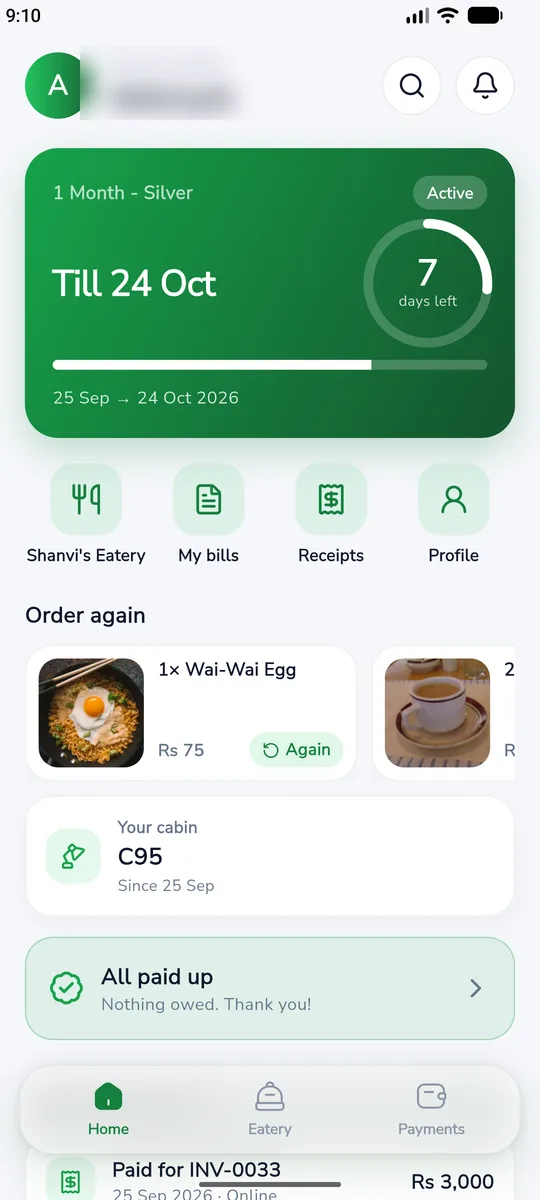
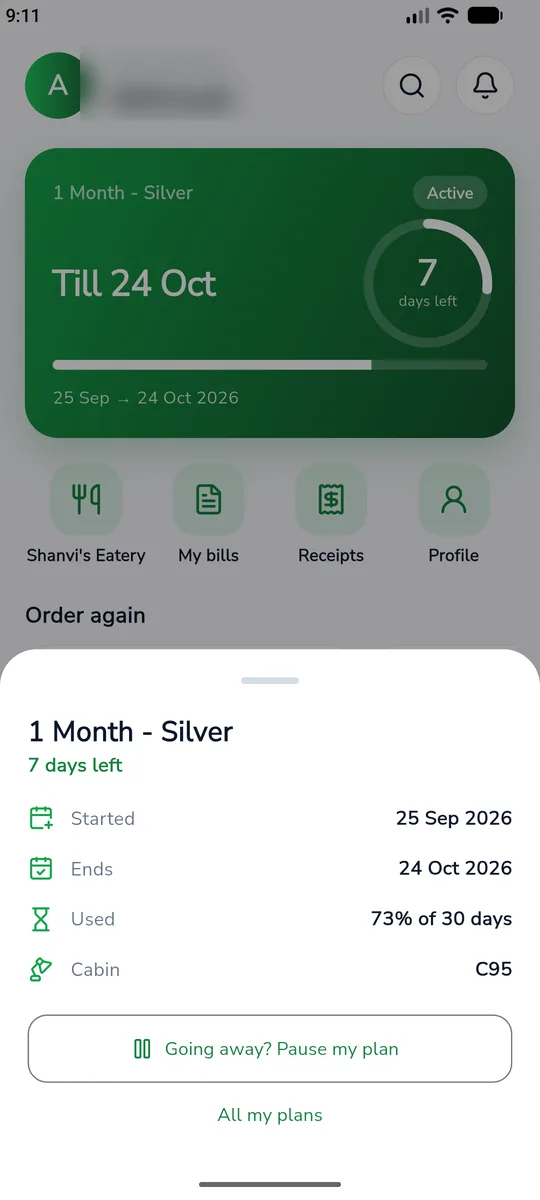
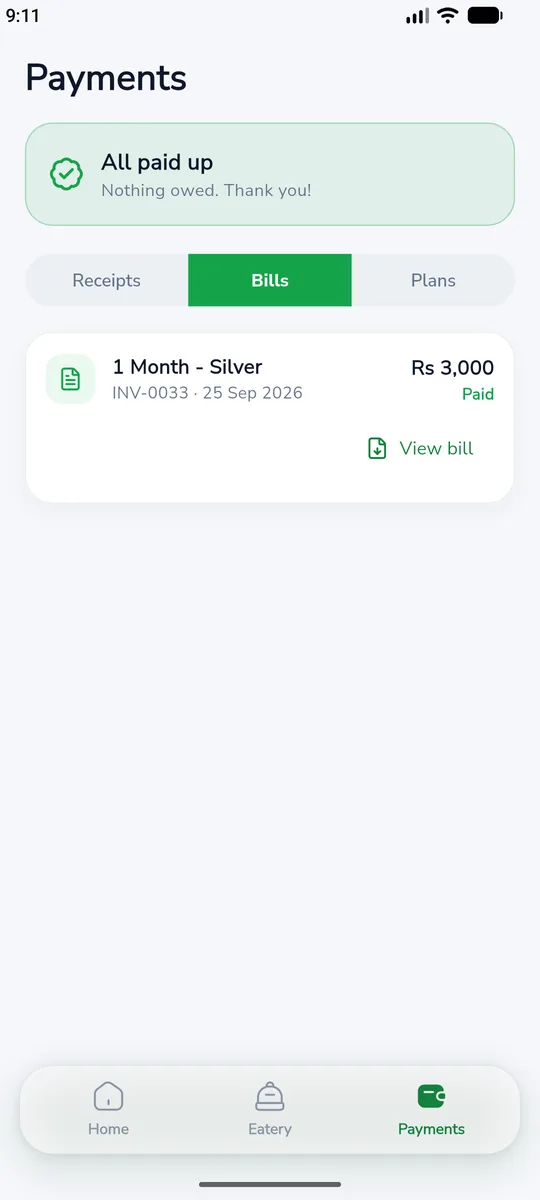
Everything about your seat, without the queue
Your plan at a glance
Days left, your cabin and locker, and a reminder before your plan ends.
Order from the eatery
Browse the menu with photos, order from your desk and pay at the counter.
Food ready alerts
The kitchen taps one button and your phone tells you to collect.
Pay dues by QR
Scan a Fonepay QR for the exact amount; the receipt appears by itself.
Bills as PDF
Every bill, ready to view, zoom and share. Receipts and plans too.
Keep your details right
Update phone, email, address or ID; the front desk checks and approves.
Install in a minute
- 1
Download the app
Tap the button on this page on your Android phone.
- 2
Allow the install
Open the downloaded file. If asked, allow installs from your browser, then tap Install.
- 3
Sign in
Pick your branch and enter the email or phone on your admission form.
- 4
Set your password
The first time, confirm with your student code, then choose a password.
Looking for something in the app? Use the search on the home screen: food, bills, receipts and plans, all in one place.
Questions
Is there an iPhone version?
Not yet. The app is for Android for now; on an iPhone, the front desk can tell you everything the app shows.
Why does my phone warn me when I install it?
Android warns about any app that does not come from the Play Store. This file comes straight from us, so it is safe to allow; you only do it once.
I cannot sign in. What now?
Use the email or phone written on your admission form, at the branch where you study. If it still does not work, ask the front desk to check your details or reset your app password.
Does it cost anything?
No. The app is free for every Shanvi student.